MEET YOUR EMAIL’S NEW SUPERPOWER.
Connect your mailbox to an email API.
MailBridgeAPI links your own SMTP and IMAP mailbox to an account API key and a mailbox API key. Use both keys in HTTP requests to send from, read, and operate that same mailbox across your projects.
Start your free trialFROM YOUR INBOX TO YOUR APPLICATIONSMTP / IMAP
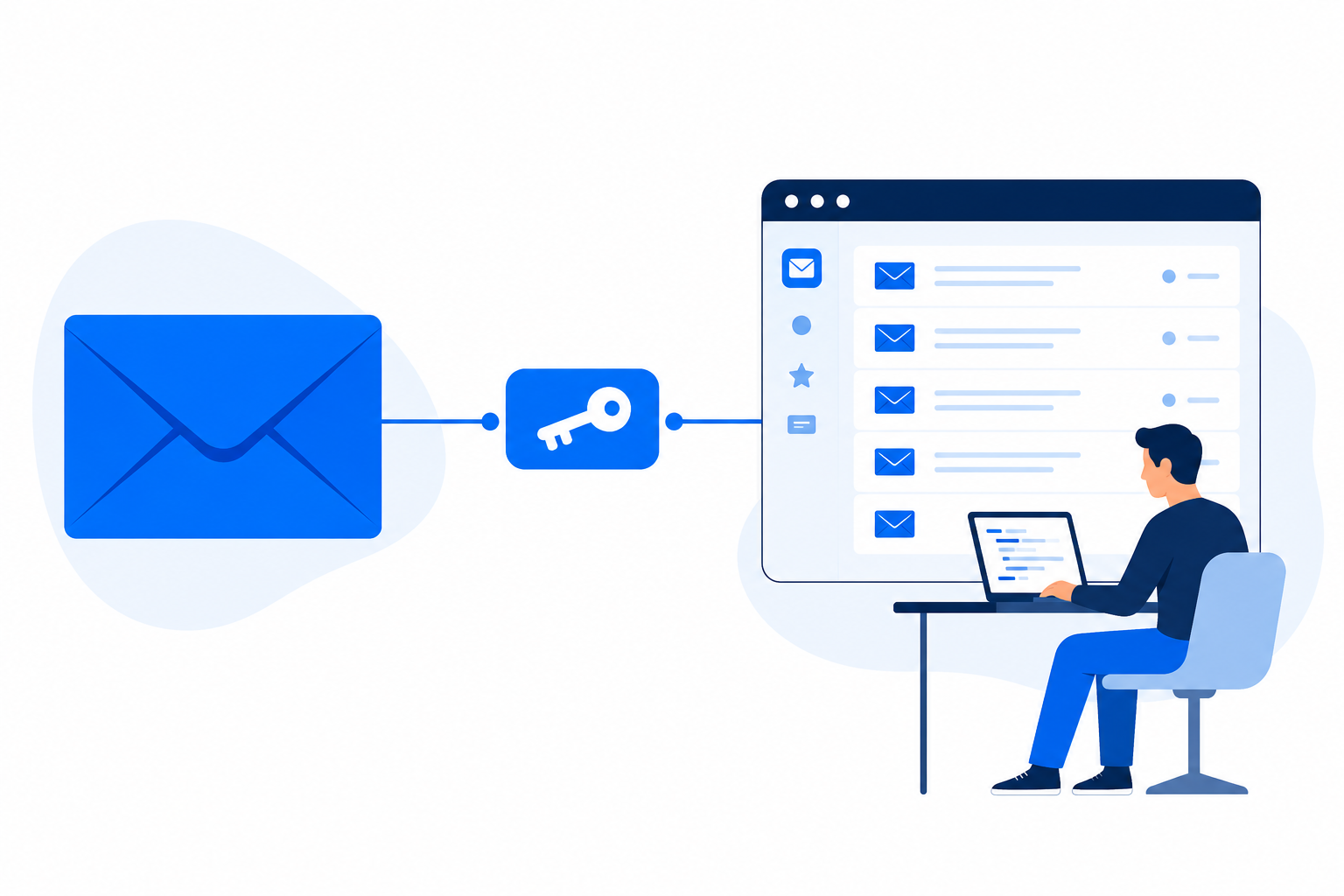
Your existing mailboxAPILess configuration.
SEE THE CONNECTION
One mailbox becomes an API your projects can use.
MailBridgeAPI securely links your SMTP and IMAP mailbox to two API keys. Your applications then call clear endpoints to send email and process received messages without using the mailbox password.
 MailBridgeAPI
Mailbox API key
Linked and readymbox_••••7F3APOST /sendemail/GET /getemail/GET /email/unsubscribed/WebsiteCRMAutomation
EMAIL IS BUSINESS-CRITICAL.
Integrate your mailbox—and know it is working.
MailBridgeAPI serves two needs at once: developers get a consistent email API for their projects, while companies get a fast way to check the mailboxes their activity depends on.
FOR DEVELOPERS
Build without rebuilding SMTP and IMAP
Use stable HTTP endpoints for sending, receiving, searching and health data in every authorized integration.
FOR COMPANIES
Keep critical mailboxes under control
Check access, test outgoing and incoming connections, and find sending errors before they disrupt customers or operations.
MAILBOX CONTROL
The essentials, visible in one place.
Use the dashboard, mobile application or API endpoints to verify the service quickly.
Mailbox accessible
Confirm that the configured account can still be reached.
SMTP operational
Test the outgoing connection used by your applications.
IMAP operational
Test access to incoming messages and folders.
Sending errors visible
Open the activity log, identify the reason and act quickly.
Email carries customer requests, confirmations, invoices and alerts. Its availability should never be left to guesswork.
ONE MAILBOX. EVERY PROJECT.
Change the mailbox password once. Keep every project running.
Imagine that the same SMTP mailbox sends email from a website, an invoicing tool, internal automations and dozens more projects. When its password or provider settings change, update the connection once in MailBridgeAPI.
Without MailBridgeAPI
Every project stores the SMTP configuration. A password change becomes a search through every application, followed by new deployments and the risk of forgetting one.
WebsiteSMTP ••••••••01
Billing appSMTP ••••••••02
AutomationSMTP ••••••••03
With MailBridgeAPI
Every project calls the same email API. Update the mailbox connection in the dashboard; the applications keep using their existing API integration.
Mailbox settingsUpdate SMTP / IMAP once
Website
Billing app
Automation
One change instead of one change per project.
Whether the mailbox is used by three projects or hundreds, no source-code or deployment change is needed when only its mailbox password or connection settings change.
YOUR PROJECT NEEDS EMAIL. NOT THE EMAIL PASSWORD.
Integrate the mailbox. Keep its password out of the project.
Your client or mailbox owner connects the email account in MailBridgeAPI. You build the integration with API keys, without needing to know their mailbox password.
See the client integration example
Mailbox owner
Enters SMTP / IMAP credentials in MailBridgeAPI.
MAILBOX CREDENTIALS
MailBridgeAPI
Uses the configured connection to communicate with the mailbox.
API KEYS
Developer & application
Uses account and mailbox API keys to send or retrieve emails.
The developer does not need the mailbox password.
A more reassuring client handoff
The owner enters the mailbox credentials. The developer receives the API access needed for the integration.
Fewer places to share a password
Keep the mailbox password out of project source code, developer messages, and individual application configurations.
One place for connection settings
When mailbox settings change, update the connection in the dashboard instead of redistributing the password across projects.
MailBridgeAPI still needs the owner’s mailbox credentials to connect to the email provider. API keys grant access to email operations: treat them as secrets and keep them in your backend.
THREE STEPS. ENDLESS POSSIBILITIES.
From inbox to integration.
A familiar mailbox on one side. Your next great idea on the other.
01
Connect your mailbox
Add your SMTP and IMAP settings in the dashboard. Keep using your existing address and email provider.
SMTP + IMAP02
Get your API keys
MailBridgeAPI links your account API key and a mailbox API key to the mailbox you selected. Your application never needs the mailbox password.
API KEY + MAILBOX KEY03
Make your first request
Call an endpoint with both API keys. The request sends from or reads the same mailbox selected by the mailbox key.
HTTP REQUEST → EMAILSMTP + IMAP → HTTP
Keep the mailbox. Simplify the integration.
SMTP and IMAP are how email works. You shouldn’t have to rebuild that connection in every project. MailBridgeAPI gives your applications a consistent API while you manage your mailbox settings in one dashboard.
One mailbox, multiple projects. Update its connection settings in one place.
What you’ll need
- A mailbox you are authorized to connect
- SMTP host, port, username, and credentials
- IMAP host, port, username, and credentials
- Provider-approved authentication and access settings
Your mailbox stays yours.
MailBridgeAPI uses your existing email service. It does not replace your email provider or remove its limits. You keep your address and continue using your usual email client.
ONE MAILBOX. MANY WAYS TO BUILD.
Real work. Real reasons to connect.
One mailbox connection, two API keys, and clear requests for the developer, the team, and the mailbox owner.
01
DEVELOPMENT TEAMS
Connect one mailbox to several projects.
Use the same mailbox across internal tools and applications while managing its connection settings centrally.
02
AGENCIES & FREELANCERS
Build for clients without asking for their email password.
Connect a client’s mailbox to their website or application using API keys. The client handles the mailbox credentials.
03
CUSTOMER SUPPORT
Put email conversations where your team works.
Read customer messages inside your support tool and send replies from your existing support address.
04
FINANCE & OPERATIONS
Send invoices from the address customers recognize.
Deliver invoices, payment instructions, and follow-ups from your accounting workflow.
05
E-COMMERCE & BOOKINGS
Keep customers informed as an order moves forward.
Send order updates, appointment details, and booking confirmations from your own business mailbox.
06
AI-ASSISTED WORK
Turn incoming emails into useful input for your AI tools.
Build email classification, request summaries, and reply drafts around a connected mailbox.
YOUR NEXT INTEGRATION STARTS HERE.
Build more with the inbox you already have.
Connect your own mailbox to its API keys, call your first endpoint, and let every authorized project send from or retrieve messages from that same mailbox.
3-day free trial·No credit card required